Black Pastel | Artisan Website Solutions
Chat with us
Tools behind your website

Back Office Systems

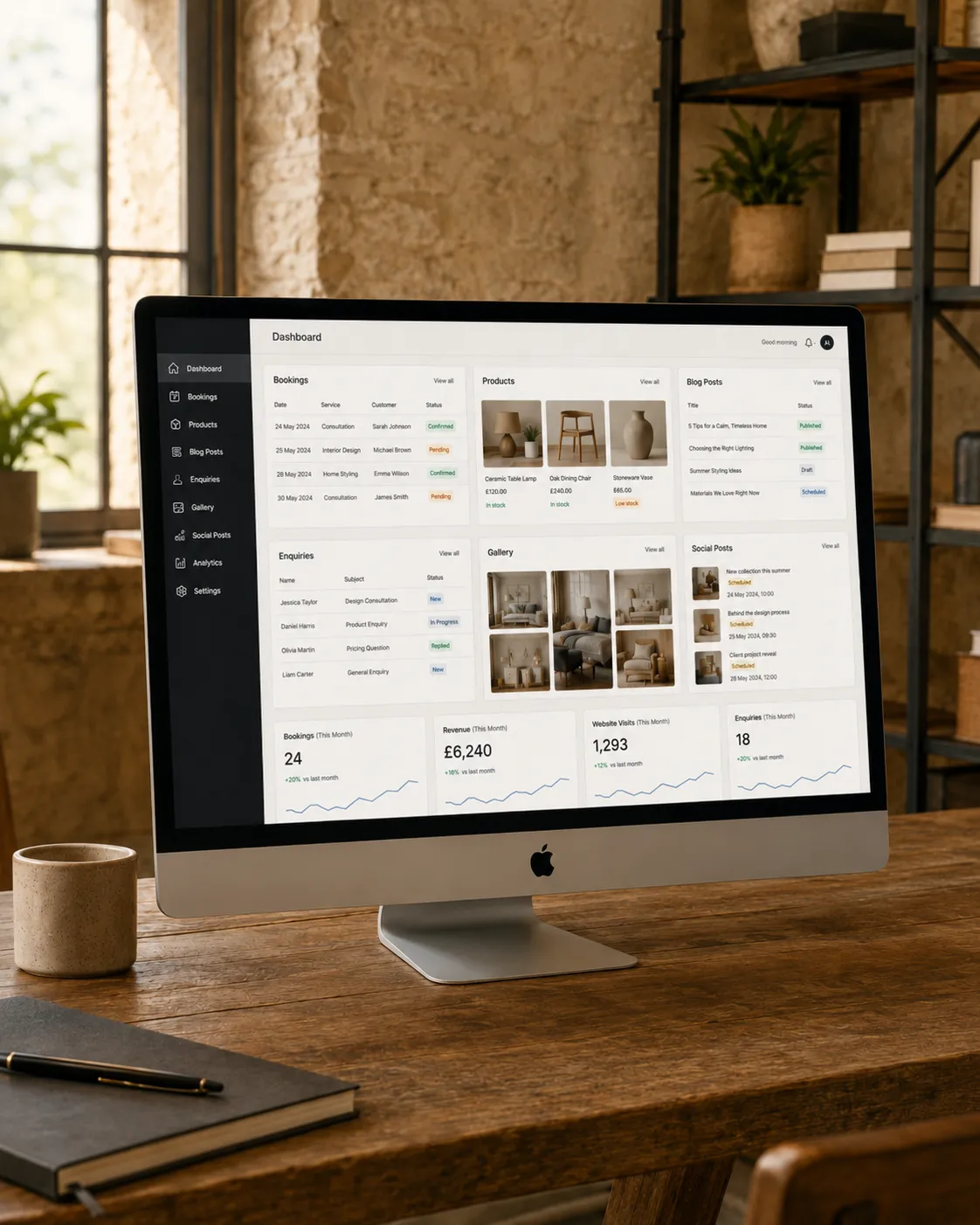
Give your website a practical admin area where you can manage bookings, products, prices, galleries, blog posts, enquiries and regular business updates without needing to touch the code.

Designed for small businesses that want their website to do more than look good — with tailored tools that help manage the parts of the business that change often.

Booking dashboards · Product tools · Blog systems · Social updates · Client portals
Booking management
Product and price updates
Blog and content tools
Social posting support
A website that works harder

Back office systems for the parts of your business that change

Many websites look good on the outside but are difficult to update behind the scenes. A tailored back office gives you a clearer way to manage the parts of your website and business that need regular attention — from bookings and products to blogs, galleries, enquiries and offers.

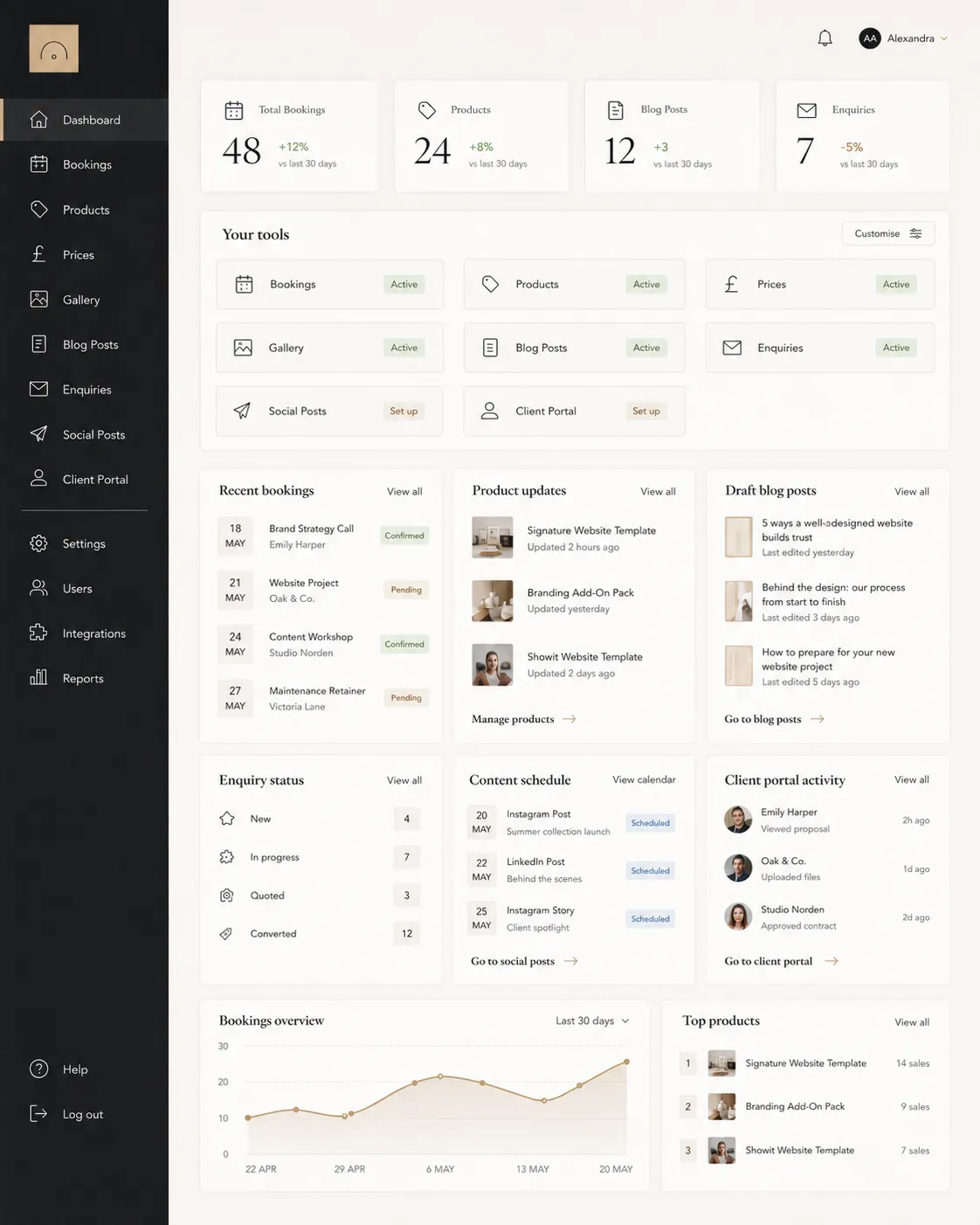
Back office dashboard showing business tools
From static website to business tool

Manage more from one clear admin area

Your website can become much more practical when the right tools are built behind it. Instead of needing code changes for every update, your back office can give you a clear place to manage the content, records and information your business relies on.

Whether you need to view bookings, add new products, update prices, upload gallery images, publish blog posts or organise enquiries, the system can be shaped around the way your business actually works.

Easy website updates Update the sections that change often without editing the website code.
Practical business tools Manage bookings, products, posts, enquiries and content in a clearer way.
Discuss Your Back Office

Useful system routes

Back office tools shaped around what your business needs to manage

Every business is different, so your back office can focus on the tools that would make the biggest difference to how you manage your website, customers and day-to-day updates.

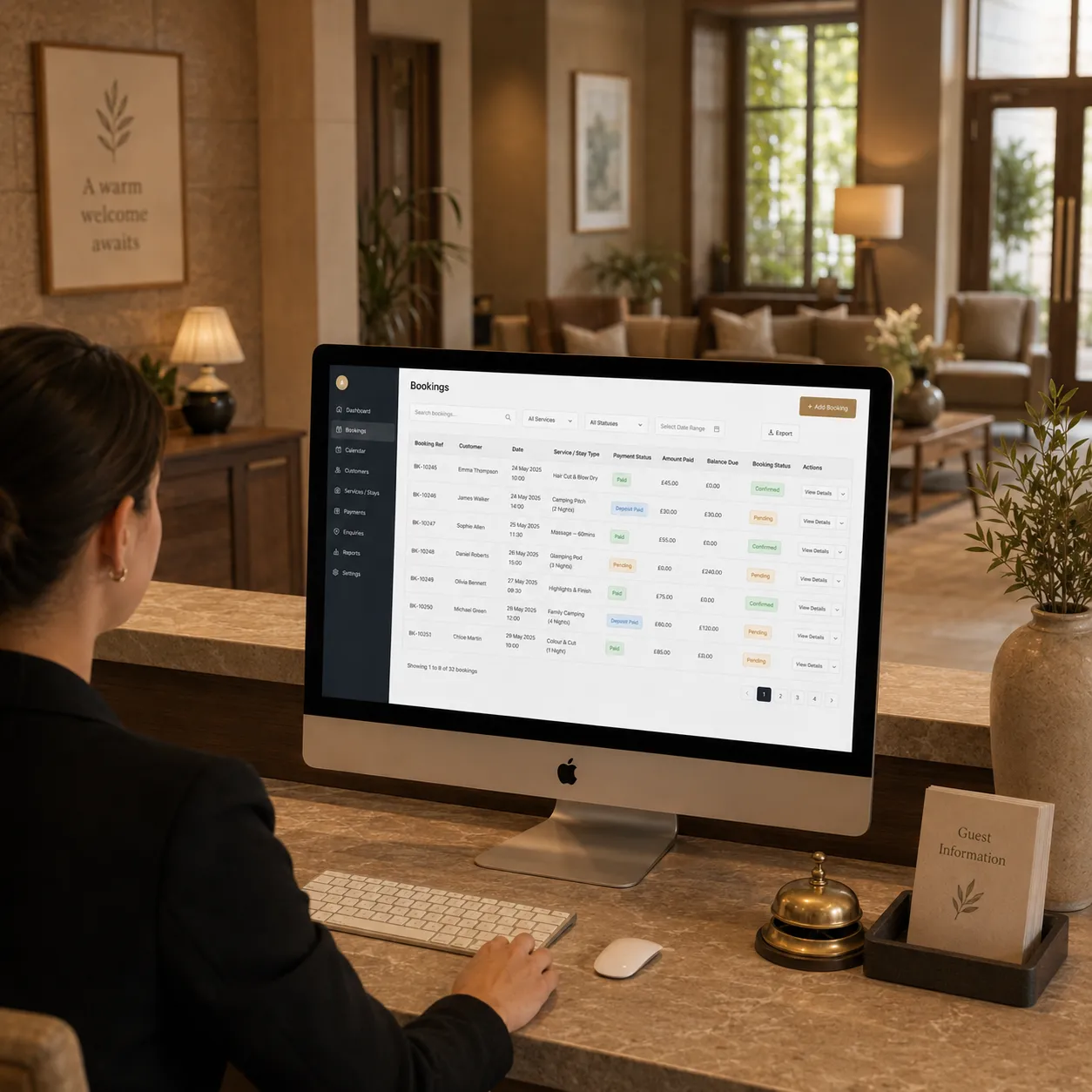
Booking management back office table
Dates, customers and payments

Booking Management

A clear booking dashboard can help you view upcoming bookings, customer details, payment information and booking statuses in one practical place.

  • Bookings table with search and filters
  • Customer names, dates and contact details
  • Payment status and amount tracking
  • Edit, cancel or review bookings
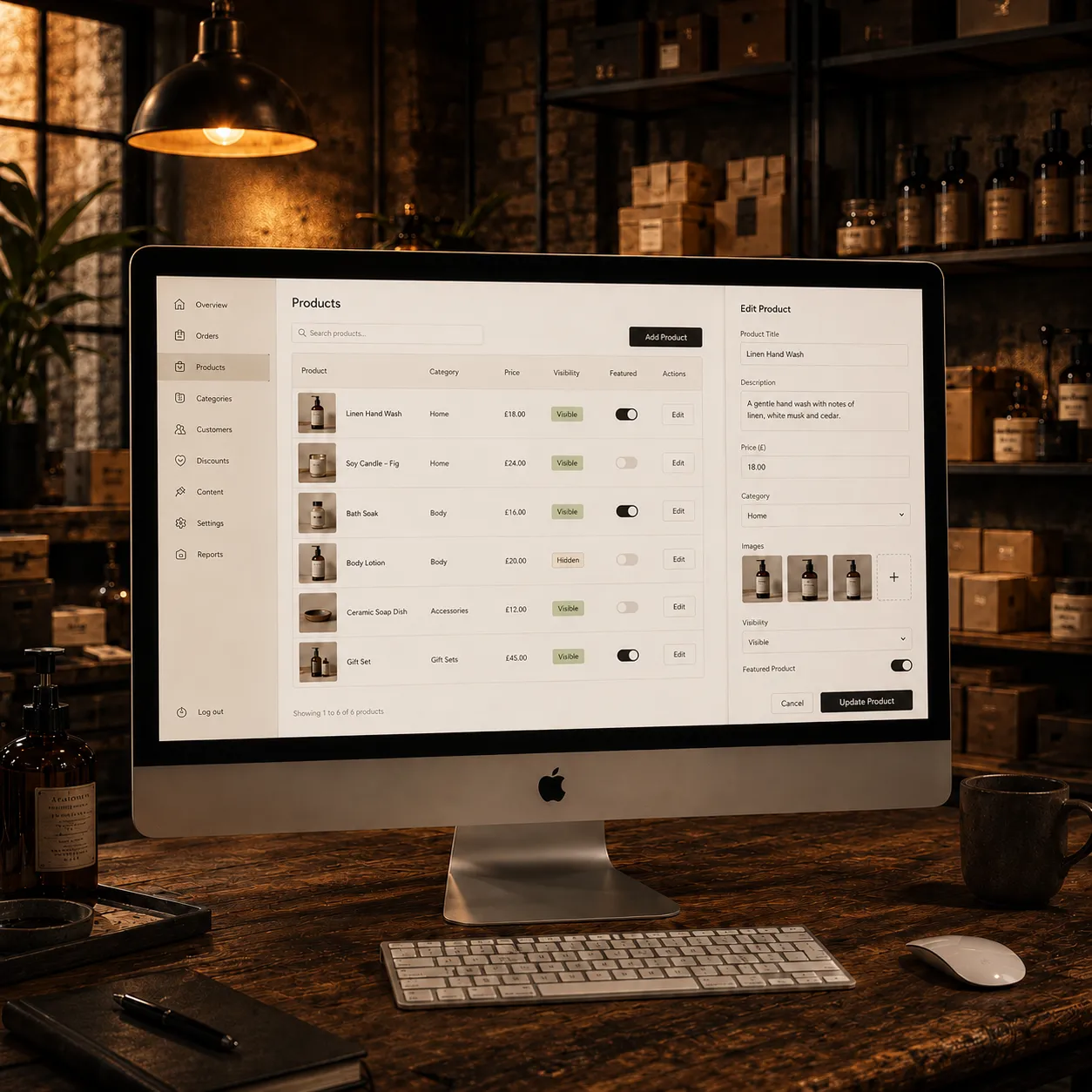
Product management back office tools
Products, prices and descriptions

Shop Management

For ecommerce websites, your back office can make it easier to add products, update descriptions, manage prices and keep your online shop fresh.

  • Add and edit products
  • Update prices and descriptions
  • Manage categories and product images
  • Show, hide or feature products
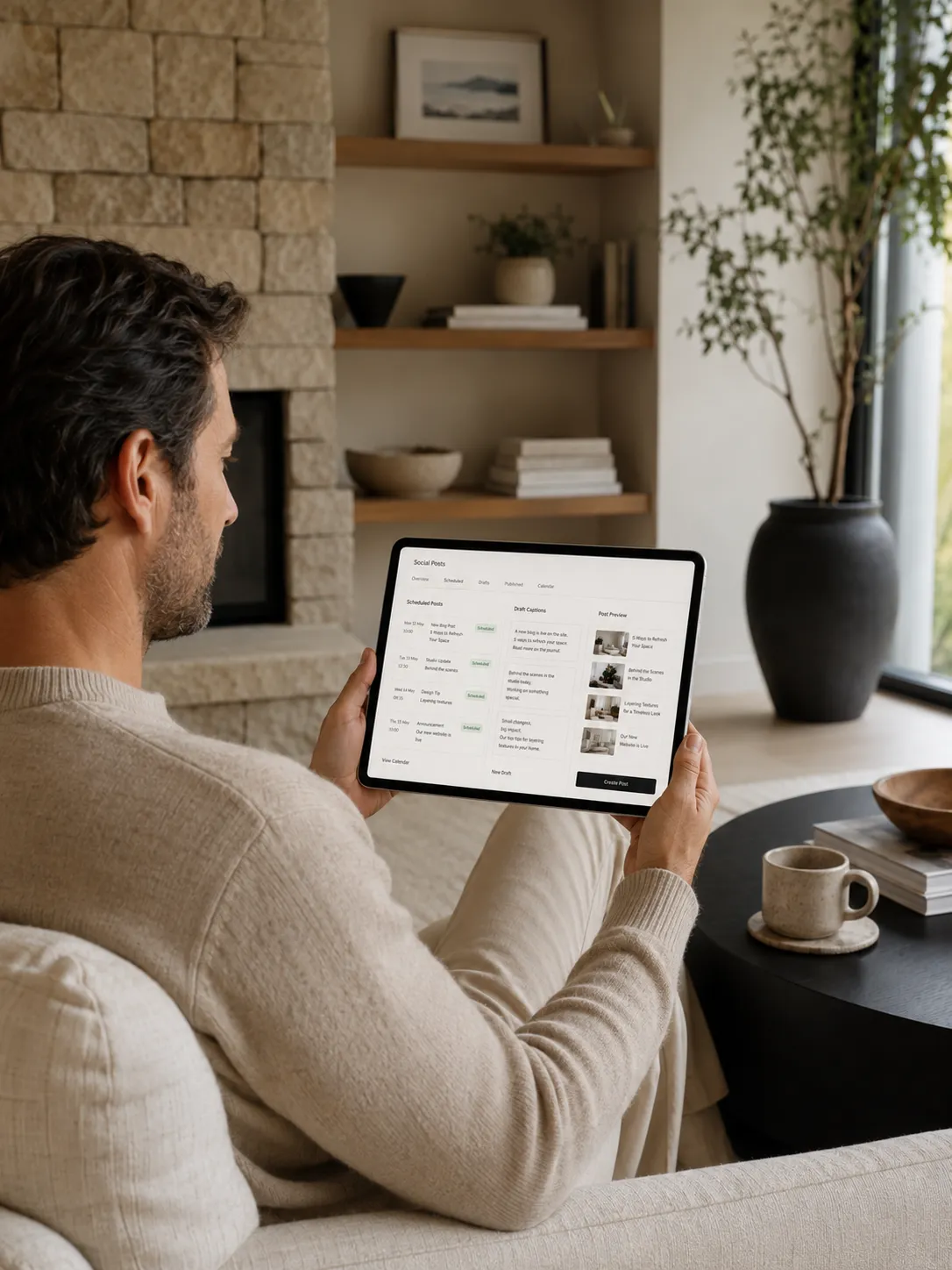
Blog and social content management tools
Blogs, updates and social posts

Content & Marketing

Keep your website active with blog posts, news updates, announcements and social content tools that help your marketing feel more connected.

  • Write and publish blog posts
  • Create news or announcement updates
  • Prepare social post content
  • Reuse website updates across channels
How back office systems work

A clear journey from idea to practical admin tool

The back office is planned around what would genuinely help your business. The aim is not to make things complicated — it is to give you a clearer way to manage the parts of your website and workflow that need regular attention.

1

We map what you manage

We look at what you update, track or repeat most often, such as bookings, products, prices, galleries, posts or enquiries.

2

The workflow is planned

We shape the admin flow around what should be easy to add, edit, publish, hide, review or manage behind the scenes.

3

The tools are built

Your back office is developed around your website, data and business process, with clear screens and practical controls.

4

The system is supported

Your tools can be maintained, refined and extended as your business grows and you find new ways to use the system.

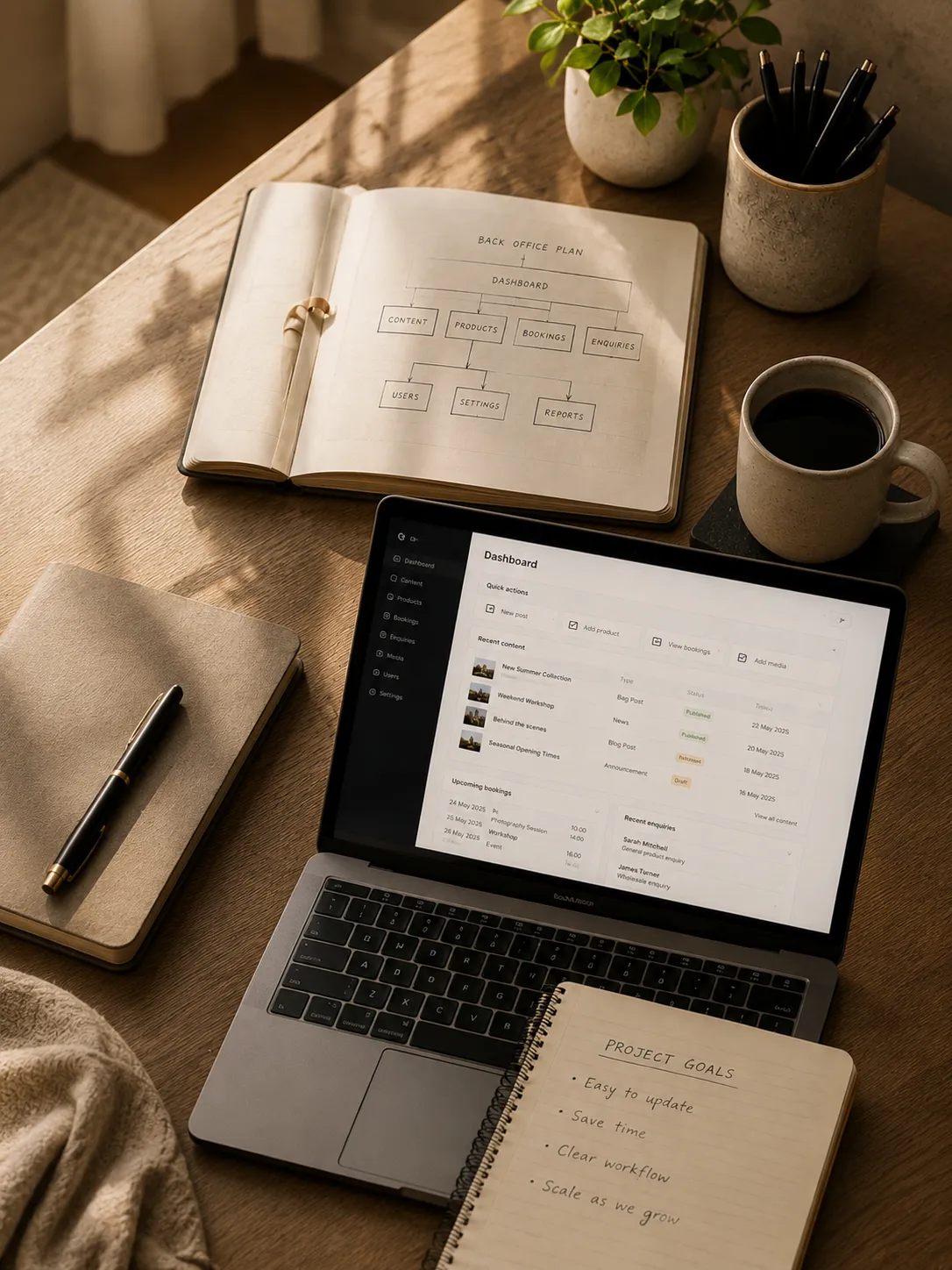
Back office system planning and workflow
More control

Without the overwhelm

A useful back office system should make the website easier to manage, not harder. The screens should be clear, the actions should make sense and the tools should support the way the business already works.

Instead of relying on developer edits for every small change, your website can include the tools you need to keep key information fresh, organised and useful behind the scenes.

Plan Your System
Bookings View bookings, customer details, dates, payment status and booking records through a clearer admin table.
Products Add products, edit descriptions, update prices, upload images and manage online shop content more easily.
Content Publish blog posts, announcements, gallery updates and page content without needing to touch the code.
Marketing Prepare website updates, social post drafts, offers and promotional content in a more connected way.
Tools that grow with you

Start with what matters and build from there

You do not always need a huge system from day one. Some businesses only need a simple gallery manager or service price editor, while others need booking dashboards, ecommerce tools, enquiry tracking or a full client portal.

The best approach is to build around the tools that will save you the most time first, then extend the system as your website and business become stronger.

Simple tools or fuller systems Start with one practical feature or build a more complete back office.
Built around real business use Focus on the updates, records and workflows that genuinely matter to you.
View Options
Back office tools and website management options
Why it works

Built to make your website easier to run

A tailored back office system helps turn your website into a more useful business tool, giving you clearer control over the parts that need regular updates.

Update your own content

Add, edit, publish or hide key content without needing to request every small website change manually.

Save time on admin

Keep bookings, products, enquiries, galleries and posts in clearer systems that reduce repeated manual work.

Keep your website fresh

Make it easier to update images, prices, posts, services, announcements and seasonal content when things change.

Support customer experience

Better admin tools can help keep customer-facing information accurate, organised and easier to interact with.

Reduce reliance on code edits

Give yourself a clearer way to manage common updates without editing files or waiting for technical changes.

Grow the system over time

Start with the most useful tools first, then add more functionality as your website and business needs develop.

Personalised back office tools from £95 for simpler add-on tools. Larger admin systems are quoted around the functionality required.

Flexible tools built around what you need

Back office systems vary widely depending on what the business needs to manage. A simple gallery manager, price editor or blog tool is very different from a full booking dashboard, ecommerce admin area or custom client portal.

Because of that, we price back office systems around the functionality required, the amount of data involved and how closely the tools need to connect with the rest of your website.

  • Simple add-on tools from £95
  • Booking tables, product editors and blog systems quoted around scope
  • Larger client portals or admin dashboards quoted individually
  • Ongoing support can be included within your website support plan
  • Built around your website, workflow and business priorities
Talk Through Your System

Simple Add-On Tools

From £95

Ideal for smaller update tools such as a gallery manager, service price editor, announcement banner, simple blog or basic content management feature.

Custom Client Portals

Quoted individually

For larger systems with logins, dashboards, multiple tools, custom workflows, customer records, file uploads or more advanced business logic.

Common questions

Before you plan a back office system

What is a back office system?

It is a private admin area behind your website where you can manage useful business information, such as bookings, products, prices, images, blog posts, enquiries or other website content.

Can I update my own website content?

Yes, where the right tools are built. For example, you could update services, prices, products, galleries, blog posts or announcements without editing the website code.

Can this work with an ecommerce website?

Yes. Product management tools can help you add products, update descriptions, change prices, manage categories, upload images and keep your online shop more current.

Can this work with booking systems?

Yes. Booking dashboards can show bookings, customer details, dates, payment information and booking statuses, depending on how the booking system has been built.

Can you build automatic Facebook posting?

Social posting tools can be explored depending on the platform, permissions and the type of content you want to publish. In some cases, it may be better to create post drafts or connected content workflows rather than fully automated posting.

Do I need a full system straight away?

No. Many businesses start with one or two useful tools, then expand the back office later as the website becomes more important to the day-to-day running of the business.

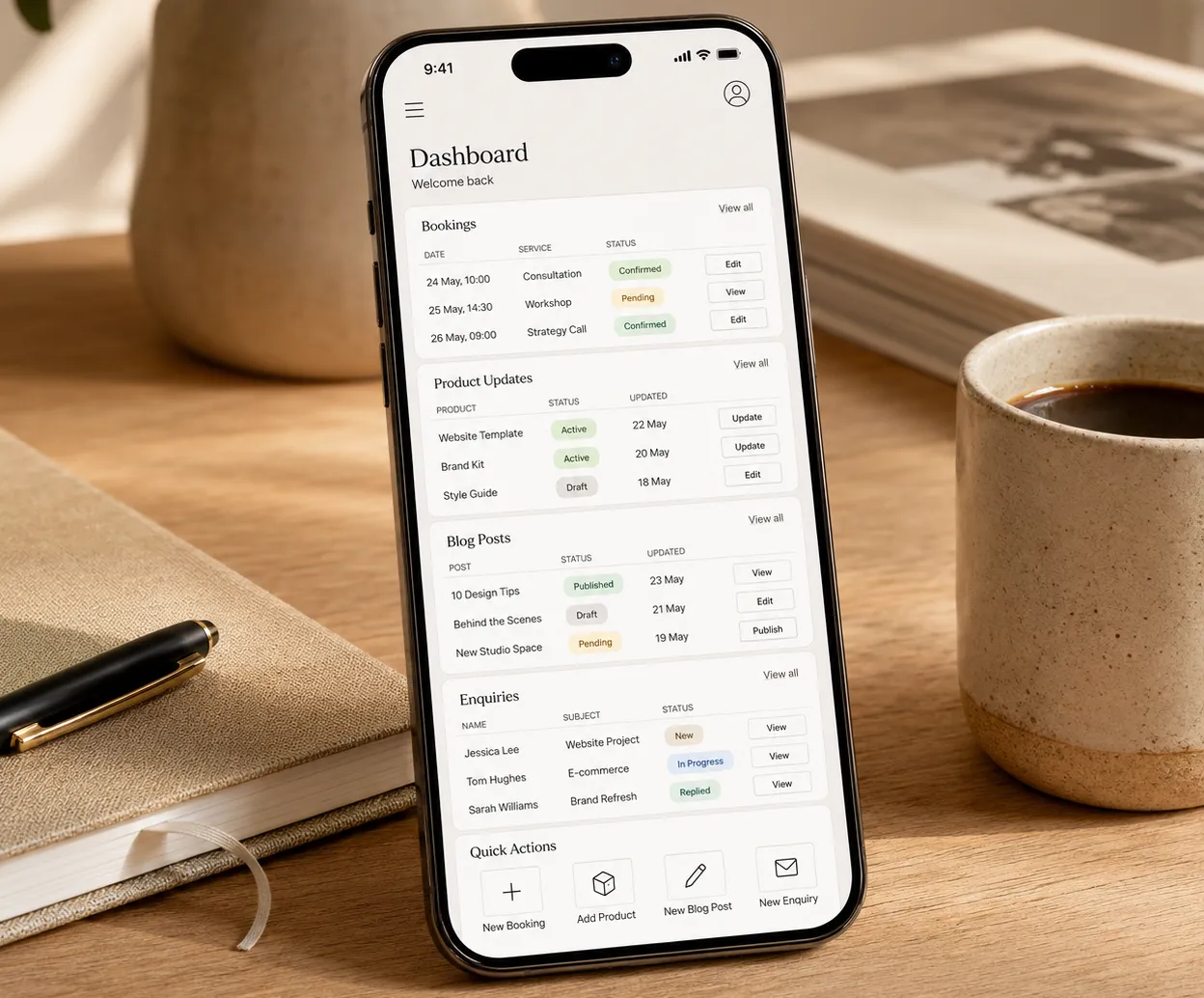
Back office dashboard website preview
Back office bookings and product management preview
Built with intention

Give your website a clearer way to work behind the scenes.

A tailored back office system helps turn your website into a practical business tool, giving you a clearer way to manage bookings, products, content, enquiries and updates as your business grows.

Back office systems by Black Pastel

Need your website to do more behind the scenes?

If you want a website that helps manage bookings, products, prices, posts, enquiries, galleries or other business updates, we’d love to hear what would make your day-to-day work easier.